How does an AI zombie love story work?
Seedance25’s zombie love story preset turns two separate portraits into a 13-second reunion video, with the story, prompt and camera direction already built in. Upload one solo portrait for the human survivor and one for the zombie partner, then choose your video settings.
An AI zombie love story brings a romantic reunion into the apocalypse. One of you is human; the other has become a zombie. Fear gives way to recognition, an embrace and a flashback to happier days. The emotional contrast comes from recognizing someone you love beneath a frightening appearance.
From a frightening encounter to a moment of love
Your AI zombie love story follows three built-in moments: a tense reunion, a tender embrace, and a warm memory of the couple before the outbreak.
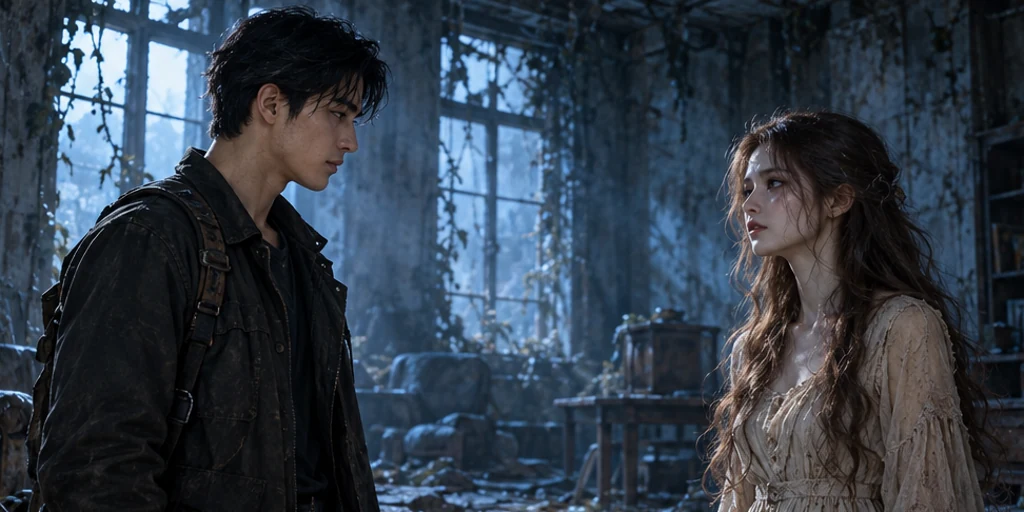
The encounter
The scene opens with distance and uncertainty. The survivor sees a zombie, then recognizes the person they love. A pause and eye contact carry the change from fear to recognition. The cold abandoned room gives the reunion its tension, while familiar faces make that tension personal.
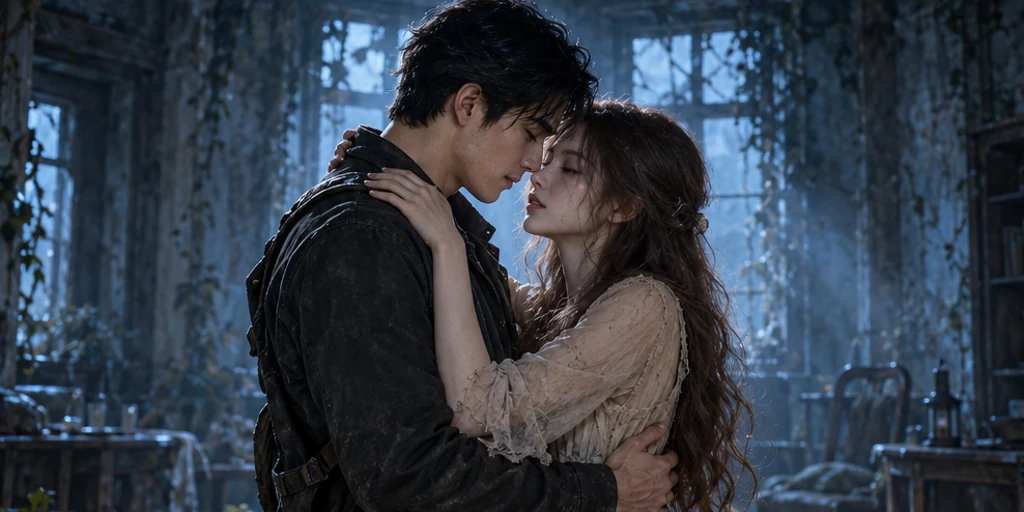
The embrace
The survivor lowers their guard and moves toward their zombie partner. An embrace brings the love into focus after the frightening encounter. When you watch your result, look at the approach, the faces and the contact between the two people. These small details make the reunion feel believable.
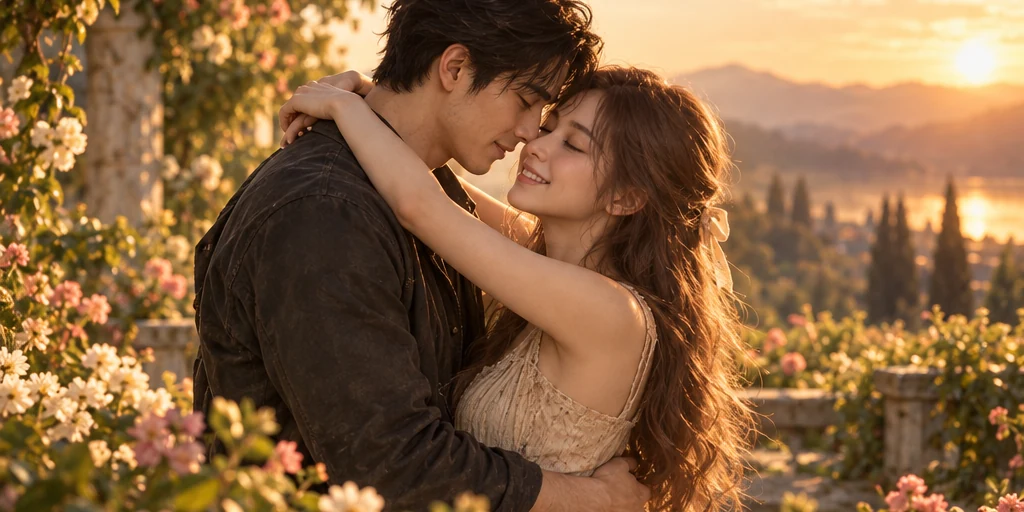
The memory
The sequence turns toward a warmer memory of the same couple before the infection. The zombie appearance gives way to a healthier, happier moment. That change in light and mood gives the love story its emotional contrast.
Can I use two separate photos?
Yes. Upload one solo portrait of each person to the zombie couple video generator; the photos can be taken separately. You do not need a couple photo, a collage or zombie makeup. The preset brings the two people into the same story.
Photo 1: the human survivor
Choose a well-lit photo with the face fully visible. This person stays human and recognizes their partner during the reunion. Use a solo portrait so the intended person is clear.
Photo 2: your zombie partner
Upload an ordinary portrait without zombie makeup. The AI adds the zombie appearance for the reunion and shows the same person healthy in the flashback.
Choose Suitable Portraits
Use photos you have permission to upload, with both people comfortable appearing in the story. Clear eyes and even lighting work best; avoid heavy filters, sunglasses, or hair covering the face.
Check the roles before you generate
Check the labels above the upload slots before generating. Use Swap roles to reverse who stays human and who becomes the zombie partner.
How to create an AI zombie love story
This AI zombie love story preset generates one 13-second clip, so you do not need to create and stitch together each scene. Upload your portraits, choose the settings, and generate. You can edit the downloaded video later to change its pacing or add a specific soundtrack.
1. Choose your two portraits
Upload a clear solo portrait without zombie makeup to each slot. In this zombie couple video generator, Photo 1 is the human survivor and Photo 2 is the zombie partner. Replace a photo or use Swap roles before submitting if needed.
2. Choose the format and sound
Choose 16:9 for a wide frame or 9:16 for a vertical video, then select 480p or 720p and turn audio on or off. The preset uses Seedance 2.0 Mini to create a 13-second clip. Check the credit cost before generating.
3. Generate and watch your reunion
Follow the task in Generation results, then play the finished clip. Check the faces, embrace, and flashback before downloading. Use Edit & regenerate to try different photos or settings.
An AI zombie love story made with this scene
Watch a real 13-second result made with the zombie couple video generator. The vertical format shows another way to frame the same preset, while the main reference above presents the wider cinematic version.
Created with Seedance 2.0 Mini, the clip follows the reunion, embrace, and flashback. Compare the faces, expressions, and movement with the reference to see how the template adapts to different portraits.
Faces, movement, and transitions can vary between generations. Your result will depend on the portraits and settings you choose.
What if the faces or roles look wrong?
The wrong person becomes the zombie
Check the upload slots: Photo 1 is the human survivor; Photo 2 is the zombie partner. Use Swap roles if the photos are reversed. If the slots are correct but the output reverses them, keep your intended order and regenerate. Check the new result before downloading.
The faces blend or the embrace looks wrong
Use sharp solo portraits with clear eyes, even lighting and minimal obstruction. Compare both faces during the approach and embrace, and check hands and body contact. If they look wrong, try different portraits or regenerate. Likeness and movement can vary between generations.
A different face appears in the flashback
The zombie partner should appear healthy in the memory and still resemble the same person. If the identity changes, try a clearer portrait and regenerate. Use trimming for pacing; it will not repair a changed face.
AI zombie love story questions
Help with photo roles, video settings, credits, music, and face consistency.
Explore More Creation Tools
Start with the two people who matter
Your faces, an impossible reunion, a flash of the love you share. Upload two portraits and let the preset bring your AI zombie love story to life. No prompt needed.
Create your zombie love story